
Download BitDefender Total Security – antivirus, firewall, backup, system optimization, secure file deletion
Overview
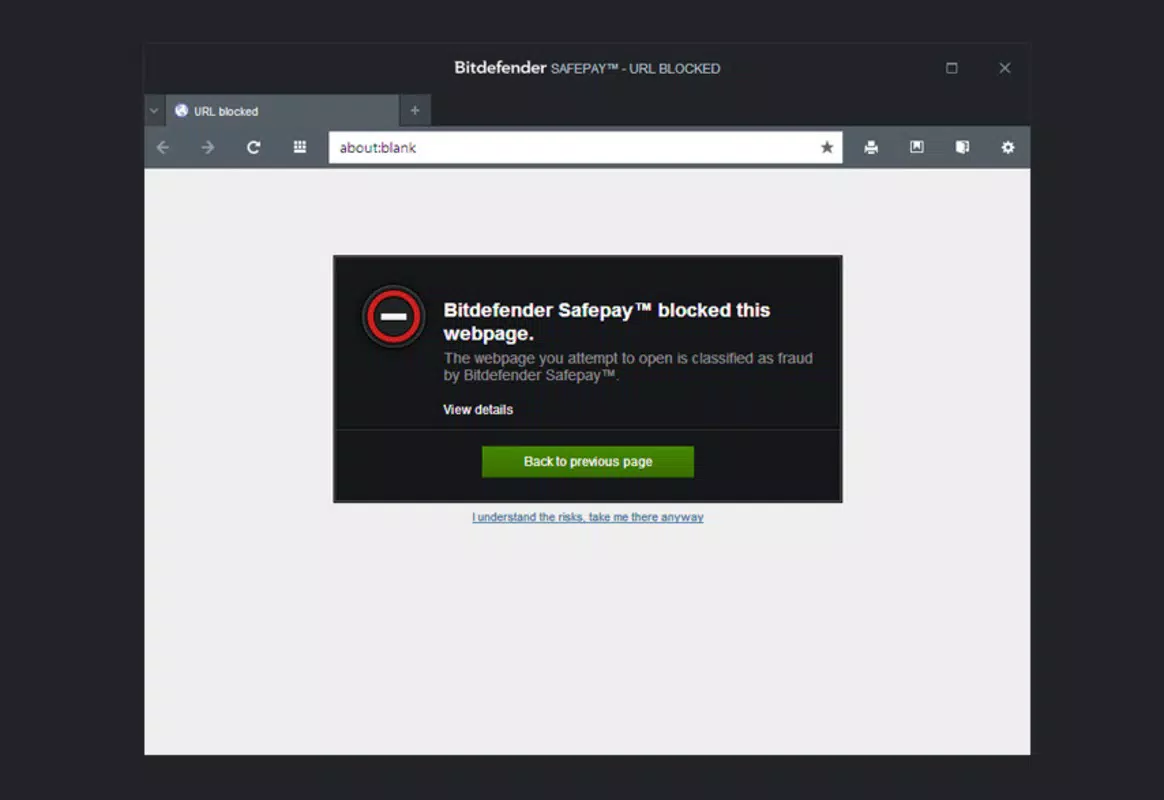
BitDefender Total Security is a comprehensive security solution engineered specifically for Windows operating systems. Designed to combat evolving digital threats, the application delivers a multi-layered defense against malware, viruses, spyware, and unauthorized network access. Its primary purpose is to safeguard user data and system integrity by integrating real-time protection, advanced firewall management, and secure data handling tools. The software is ideal for individuals and professionals who rely heavily on their PCs for work, personal finance, or sensitive file storage, where data privacy and system reliability are paramount.
By combining antivirus protection with system optimization and backup utilities, BitDefender Total Security addresses both security and performance concerns within a single platform. This makes it particularly valuable for users who want to minimize the number of third-party tools while maintaining a high level of digital safety. The application is developed by BitDefender, a well-established name in cybersecurity, known for its proactive threat detection and robust defense mechanisms.
Real-world use cases include protecting home offices from phishing attacks, securing financial records during online banking, and ensuring that sensitive documents are not exposed through accidental data leaks. In today’s threat landscape, where cyberattacks increasingly target personal devices, having an all-in-one security suite like BitDefender Total Security offers a strategic advantage. It reduces the complexity of managing multiple security tools while delivering consistent protection across diverse digital activities.
Key Features & Functionality
- Real-Time Protection: Continuously scans system activity to detect and block malicious processes before they execute. This proactive approach prevents infections from spreading and ensures safe browsing and file downloads.
- Advanced Firewall: Monitors and controls incoming and outgoing network traffic based on predefined security rules. It prevents unauthorized access while allowing legitimate applications to function without interruption.
- Backup Utility: Enables users to schedule automatic backups to external drives or cloud services. This feature ensures critical files remain recoverable in the event of hardware failure, ransomware attacks, or accidental deletion.
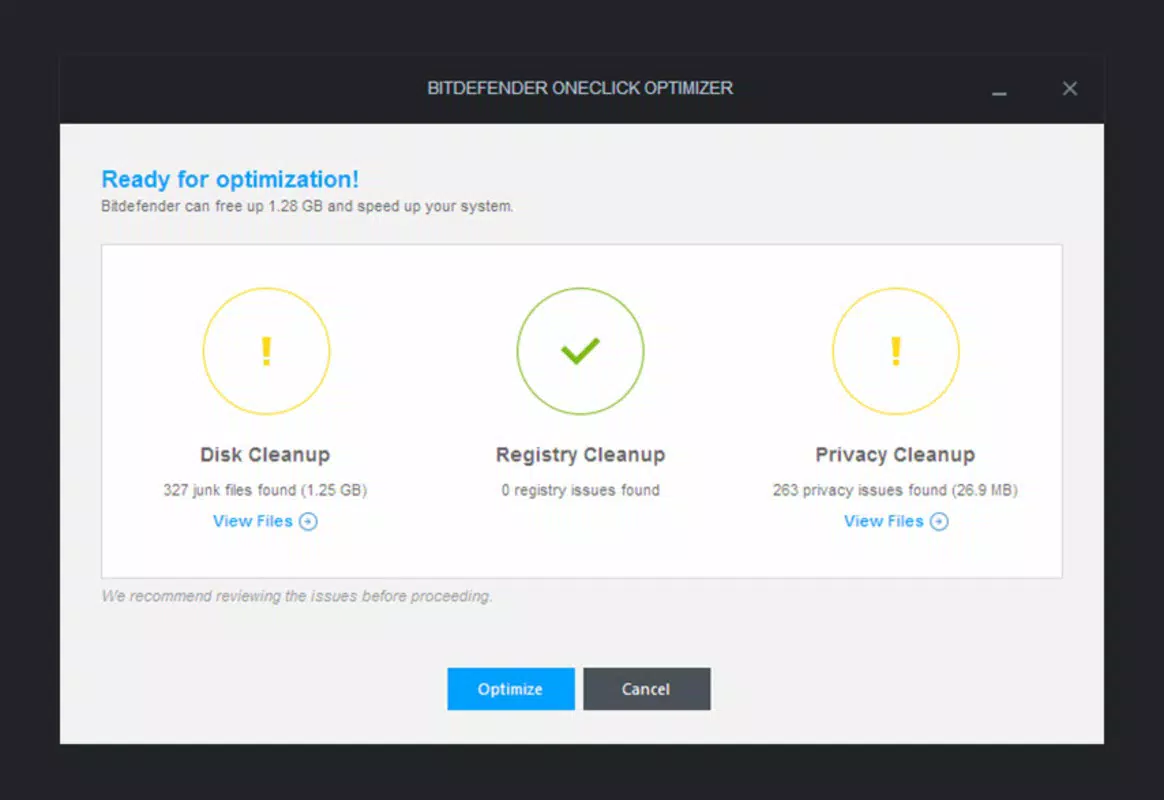
- System Optimization Tools: Analyzes startup programs and temporary files, removing unnecessary items to improve boot times and overall system responsiveness. This helps maintain peak performance without sacrificing security.
- Secure File Removal: Permanently erases deleted files from storage so they cannot be recovered by forensic tools or unauthorized users. This is essential for protecting confidential data such as contracts, passwords, or personal photos.
For example, a remote worker using BitDefender Total Security can run daily backups of project files while the firewall blocks suspicious network requests from untrusted websites. Simultaneously, the system optimizer clears junk files after each session, ensuring the laptop remains fast and efficient. These features work in tandem to deliver a seamless, secure computing experience without requiring constant user intervention.
Interface, UX & Performance
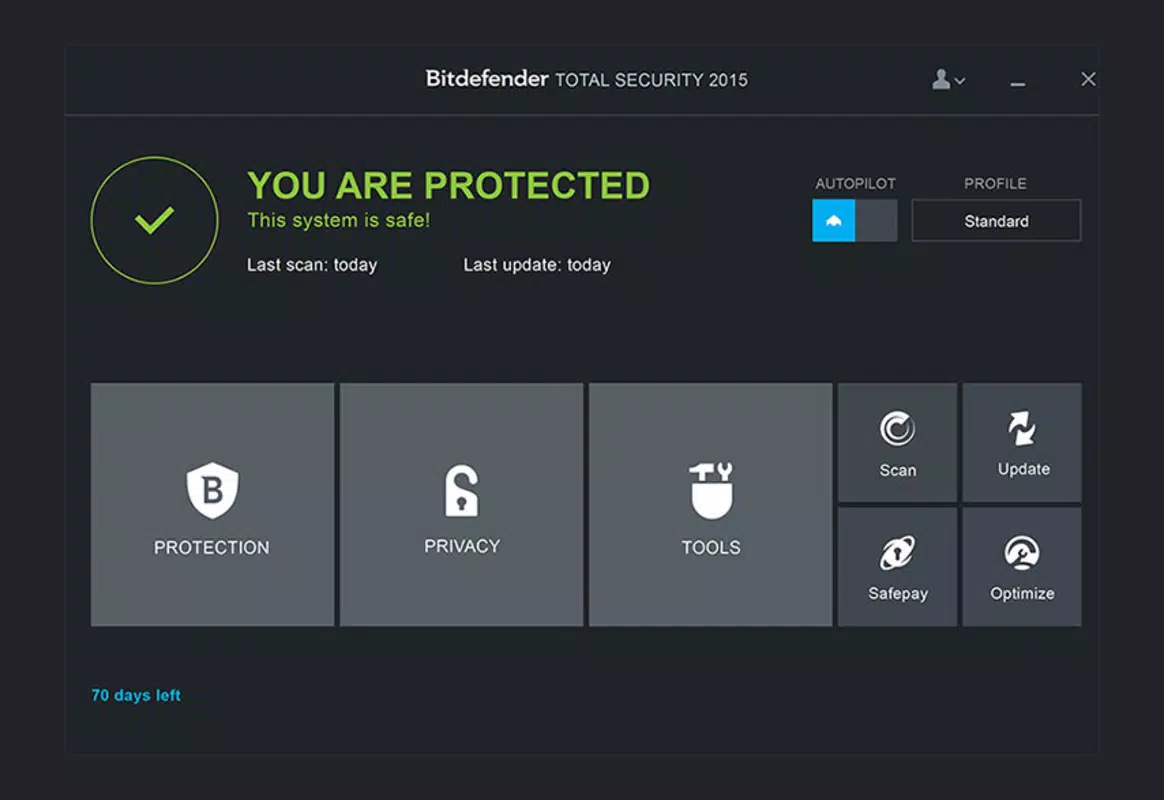
The user interface of BitDefender Total Security is designed with clarity and functionality in mind. The main dashboard presents essential security status indicators in a clean, intuitive layout, allowing users to quickly assess the health of their system. Navigation is straightforward, with clearly labeled sections for protection, backup, optimization, and settings.
Visual elements are minimal yet effective, using color-coded alerts to indicate threat levels—green for secure, yellow for caution, and red for active threats. This visual hierarchy enhances user awareness without causing alarm fatigue. Menus are logically organized, and common tasks such as initiating a scan or scheduling a backup are accessible within a few clicks.
Although the developer did not list formal performance metrics, the application appears to operate efficiently in background mode without significantly impacting system resources. Users can expect stable performance across various device categories, including laptops, desktops, and high-end workstations. Responsiveness remains consistent during scans and updates, with minimal disruption to ongoing tasks.
Stability is maintained through regular background checks and automated maintenance routines. The software does not exhibit frequent crashes or freezes, suggesting a mature and well-tested codebase. Overall, the UX prioritizes usability for both novice and experienced users, reducing the learning curve while offering advanced options for power users.
Platform Compatibility & Technical Requirements
BitDefender Total Security is available exclusively for the Windows platform. It is compatible with modern Windows operating systems, including Windows 10 and Windows 11, though specific version requirements were not listed by the developer.
The application has a file size of 325.8 MB, which is relatively compact for a full-featured security suite. This size suggests efficient code optimization and minimal bloat, allowing for quick installation and low disk space consumption.
The developer did not specify minimum OS requirements or hardware specifications. However, based on the software’s functionality, it is likely optimized for systems with at least 4 GB of RAM and a modern processor. Compatibility information was not fully disclosed, so users should verify system readiness before installation.
Pros and Cons
- Comprehensive security suite with antivirus, firewall, and backup tools
- Real-time threat detection prevents infections before they occur
- Secure file deletion ensures permanent data erasure
- System optimization improves PC performance over time
- Intuitive interface suitable for users of all skill levels
- Price point of $129.99 may be high for casual users
- Specific OS and hardware requirements were not disclosed
- Not available on mobile platforms such as Android or iOS
- Limited customization options for advanced users
- Backup functionality depends on external storage or cloud access
FAQ
Is BitDefender Total Security safe to install on my Windows PC?
Yes, BitDefender Total Security is a legitimate and secure software package developed by a trusted cybersecurity company. It does not contain malware or unwanted components.
Can I use BitDefender Total Security on multiple devices?
While the product is designed for Windows systems, the developer did not specify multi-device licensing details. Users should consult the official product page for licensing terms.
Does the software slow down my computer?
Based on available information, BitDefender Total Security is designed to operate efficiently in the background. It minimizes performance impact during normal use, though full system scans may temporarily affect responsiveness.
How often should I update the software?
Automatic updates are recommended to ensure the latest threat definitions and security patches are applied. The application typically checks for updates in the background.
Is the backup feature secure?
Yes, the backup utility is designed to protect data integrity and confidentiality. Backups can be scheduled and stored on trusted external drives or cloud services, depending on user configuration.
Final Thoughts
BitDefender Total Security stands out as a robust, all-in-one solution for Windows users seeking comprehensive protection and system enhancement. Its integration of antivirus, firewall, backup, optimization, and secure deletion tools creates a cohesive security ecosystem that addresses both immediate threats and long-term performance needs. While the price may be a consideration for budget-conscious users, the depth of features and reliability of BitDefender’s reputation justify the investment for those who prioritize digital safety and system efficiency.
Individuals managing sensitive data, remote workers, and professionals in high-risk industries will benefit most from this suite. It delivers a strong value proposition by combining multiple utilities into a single, well-designed application.
Download BitDefender Total Security now


